
Modern point-of-sale systems rely on more than just software. Behind every smooth transaction is a carefully selected combination of hardware devices working together to process payments, print receipts, and track inventory in real time.
Choosing the right POS hardware directly impacts checkout speed, operational efficiency, and overall customer experience. Whether you're running a small café, retail store, or multi-location restaurant, understanding the core hardware components is essential before making an investment.
This guide breaks down the three essential POS hardware components: POS terminals, receipt printers, and barcode scanners — and what to look for in each.
Understanding POS Hardware
POS hardware refers to the physical equipment that powers transaction processing. While software manages sales data and reporting, hardware enables real-world interaction at the checkout counter.
A standard POS setup typically includes:
POS terminal
Receipt printer
Barcode scanner
Payment terminal
Cash drawer
Let’s examine the three most critical components.
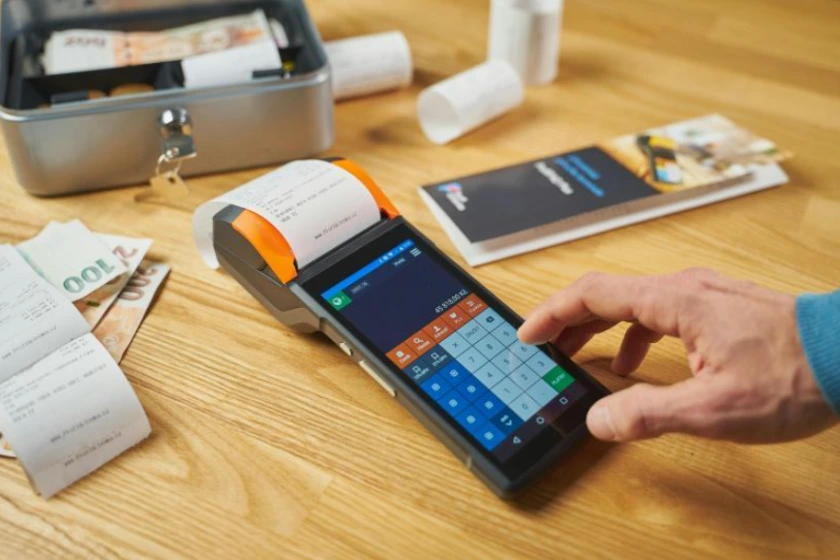
POS Terminals
The Central Command of Your POS System
The POS terminal is the core device that runs your POS software and connects to peripherals like printers and scanners. Performance, durability, and compatibility are key considerations.
Terminal Types
Traditional Desktop POS
Common in supermarkets and high-volume retail environments. These systems prioritize power and stability, often using dedicated monitors and processors.
Tablet-Based POS
Lightweight, affordable, and increasingly popular among small restaurants and retail shops. Tablet POS systems offer portability and a modern interface while reducing upfront hardware costs.
All-in-One Touchscreen Terminals
Designed for professional environments that want a clean counter setup. These systems combine display and computing hardware into a single device.
What Matters Most
Processing performance during peak hours
Reliable connectivity (USB, Ethernet, Wi-Fi)
OS compatibility with your POS software
Build quality for long-term durability
For growing businesses, investing in scalable hardware avoids costly upgrades later.
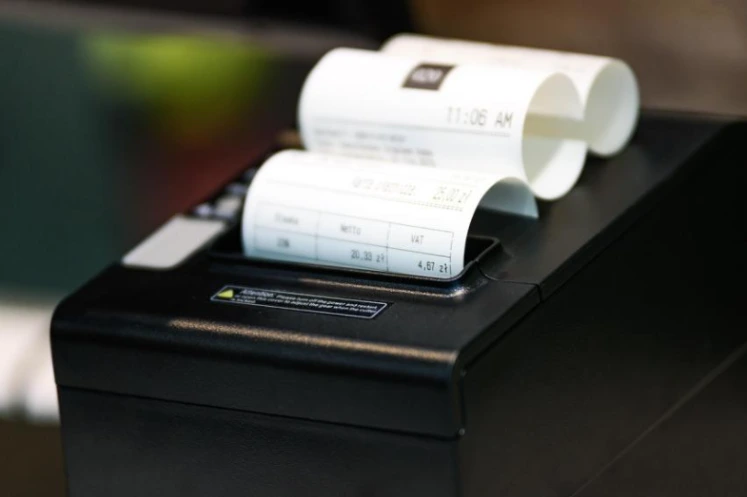
Receipt Printers
Speed, Accuracy, and Compliance
Receipt printers remain a core part of most POS systems, even as digital receipts gain popularity. They provide transaction records, support accounting processes, and help maintain compliance requirements.
Printer Types
Thermal Printers
The industry standard for retail and restaurants. They print quickly, operate quietly, and require no ink cartridges. Maintenance costs are minimal, making them a practical long-term choice.
Impact Printers
Often used in kitchen environments. They are durable, capable of printing duplicate copies, and perform reliably in high-heat areas.
Key Considerations
Print speed and noise level
Paper width (typically 58mm or 80mm)
Connectivity options
Auto-cutter functionality
Integration with POS software
For most businesses, thermal printers offer the best balance between performance and cost efficiency.

Barcode Scanner
Faster Checkout, Fewer Errors
Barcode scanners dramatically reduce manual entry errors and improve checkout efficiency. By instantly retrieving product data, they streamline transactions and enhance inventory tracking accuracy.
Scanner Types
1D Scanners
Designed for traditional retail barcodes. Ideal for grocery stores, pharmacies, and standard retail operations.
2D Scanners
Capable of scanning QR codes and advanced barcode formats. Suitable for businesses using digital coupons, mobile payments, or loyalty apps.
Wired or Wireless
Wired scanners offer stability and lower costs.
Wireless scanners provide mobility for stock management and warehouse use.
Most small to mid-sized businesses operate efficiently with wired scanners, while larger operations may benefit from wireless flexibility.
Building the Right POS Hardware Setup
The ideal hardware configuration depends on your business model and transaction volume.
Small cafés and retail startups often benefit from tablet-based POS systems paired with thermal printers and wired scanners.
High-volume restaurants may require robust touchscreen terminals and dedicated kitchen printing.
Multi-location businesses should prioritize durable, scalable hardware capable of supporting expansion.
Conclusions
Reliable POS hardware is not simply an operational expense — it is foundational infrastructure. The right combination of terminals, receipt printers, and barcode scanners ensures faster transactions, improved accuracy, and a better customer experience.
As POS technology continues shifting toward cloud-based systems and integrated payments, hardware remains the physical backbone of every transaction. Investing wisely today creates a smoother, more scalable operation tomorrow.