SEO & Performance Optimization for Odoo eCommerce
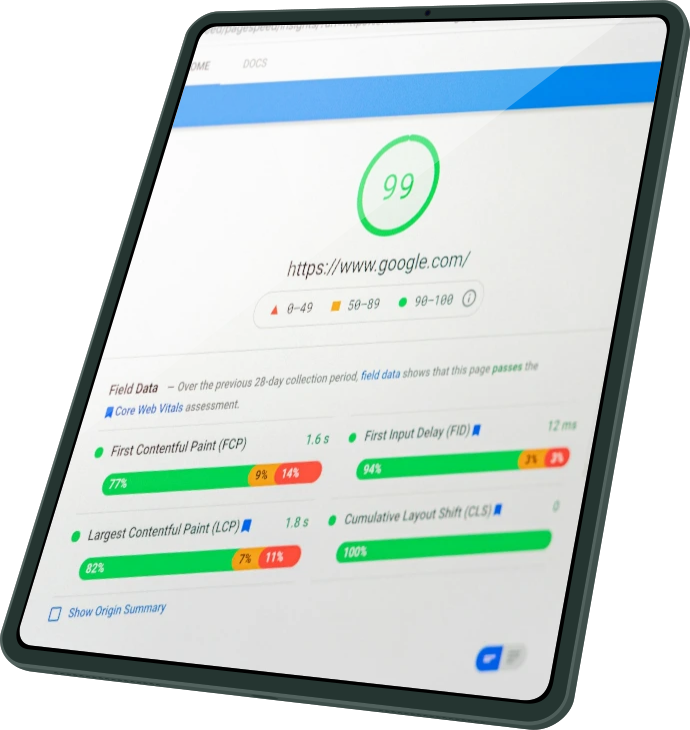
Search engine optimization and website performance are no longer optional considerations; they're fundamental requirements for eCommerce success. A beautifully designed online store means nothing if customers can't find it through search engines or abandon it due to slow loading times.
Google's algorithms increasingly prioritize fast, well-structured websites, meaning SEO and performance optimization directly impact your bottom line. Fortunately, Odoo eCommerce provides strong built-in tools and features designed to help your store rank well and load quickly, often requiring minimal configuration to achieve professional results.

Odoo handles many SEO best practices automatically, summarizing the technical complexity so you can focus on content and keywords rather than code. The platform generates clean, semantic HTML, creates proper URL structures, automatically produces XML sitemaps, and implements schema.org microdata for rich search results. These foundational elements work behind the scenes without requiring intervention, giving your store a solid SEO baseline from day one.
Consider URL structure an essential SEO element. Odoo creates SEO-friendly URLs automatically based on product names and page titles. When you create a product called "Organic Cotton T-Shirt," Odoo generates the URL "/shop/product/organic-cotton-t-shirt-31" where the readable slug helps both users and search engines understand page content. If you change the product name later, Odoo automatically creates 301 redirects from old URLs to new ones, preserving your SEO value and preventing broken links.
Optimizing Meta Tags for Products and Pages
Meta tags, namely title tags and meta descriptions, represent your store in search engine results. They're the first impression potential customers get, making them important for click-through rates. To optimize these elements, navigate to any page on your website and go to Website > Site > Optimize SEO.
The SEO optimization panel shows your current title and description with a preview of how they'll appear in Google search results. Title tags should be straightforward yet descriptive, it’s aim for 50-60 characters. Include your primary keyword naturally, preferably near the beginning. For a product page, something like this "Organic Cotton T-Shirt - Sustainable Fashion | Your Store Name" works well.

Meta descriptions provide more detail in 150-160 characters. They don't directly impact rankings but significantly influence whether searchers click through to your site. Craft focused descriptions that include your target keyword while explaining what makes your product or page valuable. Avoid generic descriptions; each page should have unique meta content that accurately represents its specific content.
For product pages specifically, Odoo can automatically generate meta information from product details. However, manually crafting these elements for your best-selling or strategically important products produces better results. The extra effort ensures your most valuable pages have optimized, conversion-focused meta content rather than generic auto-generated text.
Optimizing Images for Speed and SEO

Performance Optimization and Page Speed
Page load speed affects both user experience and search rankings. Google's Core Web Vitals now explicitly include performance metrics in ranking algorithms, making speed optimization essential rather than optional. Odoo employs several performance optimization techniques automatically.
Browser caching saves files like CSS, JavaScript, and images on visitors’ devices, so returning customers don’t have to download them again. Odoo sets the right cache settings automatically to keep a balance between fresh content and speed.

Resource concatenation and minification combine many CSS and JavaScript files into a single, smaller file. This lowers the number of requests the browser has to make, which can slow down the site. By using one minified CSS file instead of many separate ones, Odoo can make pages load much faster.
You can check your site’s speed with tools like Google Page Speed Insights or Pingdom. They give scores and suggestions. Even though Odoo does most optimizations automatically, these tools can show issues like large images you uploaded or slow third-party scripts.

Mobile Optimization and Responsive Design
Mobile-first indexing means Google mainly looks at your site’s mobile version when ranking it. Since most e-commerce traffic originates from mobile devices, making your site mobile-friendly is essential.

All Odoo themes use Bootstrap, which makes your site automatically adjust to desktop, tablet, and mobile screens. This way, you have one website that works everywhere instead of separate versions for mobile and desktop. Google prefers responsive sites because they give a better user experience.
Check your mobile site on real devices, not just browser emulators. Verify that buttons are easy to tap, text is readable, and the checkout process works smoothly. Sometimes, even responsive themes need small adjustments for certain content to display well on small screens.
In conclusion, SEO and performance in Odoo are a mix of automatic setup and careful human work. Odoo takes care of technical things like URLs, sitemaps, structured data, image optimization, and site speed. Your job is to handle what requires judgment: writing good meta tags, picking the right keywords, creating quality content, and making sure your site works well on mobile.
By combining Odoo’s automated tools with thoughtful content, your store can rank well in search engines and give customers a fast, smooth shopping experience that encourages purchases.