Payment & Delivery Configuration in Odoo eCommerce

Understanding Payment Providers in Odoo
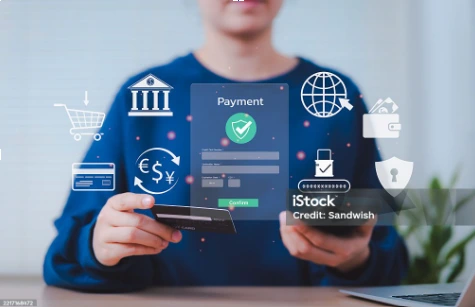
Odoo supports a wide range of payment providers, from global giants like PayPal and Stripe to regional specialists serving specific markets. Payment providers in Odoo handle the sensitive task of processing customer payment information securely. Importantly, Odoo never stores credit card details directly. Instead, it gives this responsibility to certified payment providers who already follow PCI DSS security rules.
When a customer makes a purchase, Odoo creates a unique payment token that references the transaction stored safely in the payment provider's system. This architecture means you benefit from secure payment processing without the burden and penalty of handling sensitive financial data yourself. For businesses just starting, this is particularly valuable since achieving PCI compliance independently requires significant technical and financial resources.
Installing and Configuring Payment Providers
To access payment providers, navigate to Website > Configuration > Payment Providers. You'll see a list of supported providers, each represented by a card. Click on a provider card to begin configuration. Most providers require you to create an account with them first and obtain API credentials.
For example, setting up Stripe involves visiting the Stripe website, creating a business account, and retrieving your publishable and secret API keys. Back in Odoo, you enter these credentials in the Configuration tab of the Stripe payment provider form. The exact fields vary by provider. PayPal requires your seller ID and client credentials, while Authorize.Net needs your API login ID and transaction key.
Before going live, always use the Test Mode feature. Most payment providers offer sandbox or test environments where you can simulate transactions without processing real money. In Odoo, you'll see a Test Environment smart button at the top of the payment provider form. Keep it in test mode while you verify everything works correctly, then switch to Production Environment when you're ready for real transactions.
Enabling Alternative Payment Methods
Beyond credit cards, modern customers expect various payment options. Odoo accommodates this through several built-in payment methods that don't require third-party integrations:
Wire Transfer allows customers to pay via bank transfer. When selected, Odoo displays your bank account details and a payment reference. You manually confirm orders once payment appears in your account. This method works well for B2B customers or high-value transactions where immediate fulfillment isn't required.
Cash on Delivery (COD) enables customers to pay when receiving their orders. This option requires coordination with your delivery methods. You can link specific delivery methods to accept COD payments by checking the "Cash on Delivery" option on the delivery method form.
Pay on Site works perfectly with Click & Collect functionality, allowing customers to reserve products online and pay when picking them up at your physical location. In this way, the digital and physical shopping experience are brought together into one convenient journey.

Advanced Payment Features
Odoo's payment system includes refined features that enhance both customer experience and your control. Understanding these features helps you optimize your checkout process:
Tokenization, or saving payment methods, allows returning customers to complete purchases faster. When enabled in the Configuration tab of a payment provider, customers can opt to save their payment details for future use. The system creates a secure token linking to their payment information stored with the provider. This significantly improves conversion rates for repeat purchases and is essential for subscription-based businesses.
Manual Capture provides a two-step payment process. When you enable "Capture Amount Manually" in the payment provider settings, authorizing a payment reserves funds on the customer's card but doesn't immediately charge them. You can then capture the payment after the order ships, or cancel the authorization to release the funds. This approach reduces refund fees and protects against dishonest orders since you can verify legitimacy before finalizing payment.

Configuring Delivery Methods
Shipping configuration in Odoo balances automation, accuracy, and flexibility. Navigate to Website > Configuration > Delivery Methods to access the delivery configuration interface. The first decision is choosing between integrated third-party carriers and custom delivery methods.
Third-party carrier integrations connect Odoo directly with shipping companies like FedEx, UPS, DHL, and regional carriers. Before configuring these, install the appropriate shipping connector from Website > Configuration > Settings in the Delivery section. Once installed, create a delivery method and select your carrier as the Provider. You'll need to enter API credentials obtained from the carrier's developer portal.
These integrations automatically calculate real-time shipping rates based on package dimensions, weight, and destination. As soon as products are added to the cart, Odoo queries the carrier's API and displays accurate shipping costs. After purchase, you can generate shipping labels directly from Odoo, simplifying your fulfillment process significantly.

Custom Delivery Rules and Pricing
Not every business needs carrier integration. Odoo offers flexible alternatives through fixed price and rule-based delivery methods. Fixed price delivery is straightforward; set a flat rate that applies regardless of order contents or destination. This works well for businesses with predictable shipping costs or those offering free shipping promotions.
Rule-based delivery provides refined control over shipping costs. Create rules based on order value, weight, quantity, or destination. For example, you might charge $5 for orders under $50 but offer free shipping above that point. Or calculate shipping as $2 per kilogram up to 10 kg, then $1.50 per kilogram after.
Rules can be geographically restricted using the Destination Availability tab. Specify countries, states, or even ZIP code prefixes where a delivery method applies. This allows you to offer express delivery only in cities or charge different shipping fees for local and international orders.

Click & Collect and In-Store Pickup
Modern retail increasingly combines online and offline experiences. Odoo's Click & Collect feature enables customers to order online and pick up at your physical location, avoiding shipping costs while getting products immediately.
Enable Click & Collect in Website > Configuration > Settings under the eCommerce section. You can then configure pickup locations, which correspond to warehouses in your Odoo inventory system. Customers see real-time stock availability for each location and can choose their preferred pickup point during checkout.
Each warehouse configured as a pickup location must have a complete address for the location selector to display it properly. This detail matters; incomplete addresses prevent locations from appearing to customers, creating a poor user experience.
In conclusion, properly configured payment and delivery options transform checkout from a potential obstacle into a conversion opportunity. By offering customers their preferred payment methods and transparent, fair shipping costs, you remove conflict from the buying process. Odoo's comprehensive configuration options mean you can start simple with basic payment providers and flat-rate shipping, then slowly add complexity as your business grows. The key is understanding what your customers value, such as convenience, speed, cost savings, or security, and configuring your systems to deliver on those priorities.